Wednesday, January 9, 2019

A 21-day plan to a new job

Picture
A new year is a great time to assess where you’re at professionally. Is it time for you to make a job change? Or a career change? This 21-day challenge is designed to help!
 
During this challenge, you’ll take 30 days of consistent action in five different areas:

1. Where Are You Now?
2. Where Are You Going?
3. What Sets You Apart?
4. What’s Your Plan?
5. Let’s Do This!
 
Take action each day in one of these areas (see the list below for ideas). This challenge will reward effort, not results. But results will come when you take consistent action, day after day, in meeting your goal!
 
For best results, enlist an accountability partner to help you complete the challenge. Ideally, it will be someone who is looking to make a job or career change too, so you can keep each other accountable and on track. For best results, check in with each other daily.
 
You can choose to use either the Challenge Calendar or the Challenge Planner to plan and track each day’s activities. Write down the activity you will do and put a big red “X” on each day you complete a challenge activity. At the end of the month, you want as many spaces marked off as possible on your Calendar or Planner.
 
There are three ways to conduct the challenge:

  • Do one action item each day for 21 days straight
  • Take action for five days each week (no weekends) for four weeks (plus one day)
  • Take actions for three days each week for seven weeks (for example, Monday-Wednesday-Friday or Tuesday-Thursday-Saturday)
 
It’s up to you!
 
At the end of each week during the challenge, reward yourself for good performance. Enjoy a special outing or anything else that will encourage you to keep going!
 
Here are suggested actions within each of the areas.


​Where Are You Now?

Picture
  • Find the most recent version of your résumé and/or cover letter and locate the most recent copy of your job description.
  • Google yourself. What comes up when you put your name in Google? Evaluate your social media presence.
  • Brainstorm a list of everything you need to add to your résumé: recent work experience and accomplishments, education, training, certifications or licenses, etc.
  • Identify and review your most recent performance evaluation or annual review. What were you commended for?
  • Pull together information for your Professional Portfolio — a copy of your college or university transcript and certificates/diplomas, work samples, copies of awards or honors, testimonials about your work from supervisors and/or customers, etc.
  • Review your social media profiles. Do they position you in the best light as a jobseeker? If not, scrub negative information. Delete any profiles you’re no longer using.
  • Take some time to consider whether you want to pursue a new job or a new career. Create a “pro/con” list for each.
  • Discover what you do best by taking a skills assessment, like the Clifton StrengthsFinder or DISC profile.


Where Are You Going?

  • Why do you want to make a change? Take 15 minutes and sit down and make a list of the things you do and do not like about your current job/career.
  • Instead of asking yourself, “What do I want to be when I grow up,” sit down and take a few minutes to ask yourself the question, “What problem(s) do I want to solve?”
  • Brainstorm what are the 10 most likely job titles for the position you want.
  • Research and identify three job postings for the type of position you’d like (even if these aren’t actually job postings you actually end up applying for).
  • Spend some time thinking about your dream job. Make a list of the types of things you’d be doing each day if you were working your dream job.
  • Think about what you would want your next job to do for you that your current job doesn’t. In other words, make a list of what will be different about your next job.
  • Assess whether you have the skills, experience, and/or qualifications necessary for the job or career you want to pursue.
  • Don’t just look for a job — look for a calling. Spend 15 minutes answering these three questions: What are you meant to do? How can you use your skills, education, and experience for maximum benefit? What kinds of problems could you solve for a company?
  • Take a personality assessment (like the Holland Self-Directed Search, the Keirsey Temperament Sorter, or the Myers-Briggs Type Indicator) to figure out what type of work you’re best suited for.

What Sets You Apart?

  • What value would you bring to your next employer? Can you help the company make money? Save money or save time? Make work easier, or solve a specific problem? Expand their business and attract or retain customers? Identify what you can do in each of these areas.
  • Outline five accomplishments using the C-A-R strategy. (What was the Challenge? What Actions did you take? What Results did you achieve?)
  • Make a list of new skills and education you’ve achieved. Have you attended any conferences? Achieved a certification?
  • Also consider non-traditional education/training. Assemble a list of online courses, boot camps, and tutorials you’ve completed that are relevant to your job/career target.
  • Write up a list of the honors and/or awards you’ve received.
  • Prepare yourself to answer the question, “Tell me about yourself.”
  • Write down your biggest professional accomplishment of the past year.
  • Be prepared to answer questions about gaps in your employment, skills you don’t have that are necessary for the job/career you want, and why you left a job. Take some time to think through how you’d answer questions about these issues.

What’s Your Plan?

  • Take a few minutes to organize your job search. Create a weekly list of activities you’ll engage in.
  • Identify the skills, training, and/or education you need for success in your next job or career. Research how to obtain one of these.
  • Take a skills test or skills interest inventory to assess your strengths and skills.
  • Research your target job salary.
  • Reach out to someone who works for the company you want to work for, or in the industry you want to work for. Ask them if they will meet you for lunch or dinner.
  • Think about how you got your last job. Spend a few minutes identifying how you got your most recent job. (For example, were you networking at a professional association meeting?) Is that something you can try again?
  • Identify the tools you will need for your job search. Make a list of things you need, or need to update, like your résumé and LinkedIn profile.
  • Find an accountability partner. Who can you work with to support you during your job search? Maybe it’s enlisting your spouse, or a friend. Or maybe it’s hiring a career coach. Line that person up.
  • Make a list of 10 companies you’d like to work for, whether or not they are actively advertising relevant openings right now.
  • Brainstorm a list of people to reach out to that can provide ideas, information, and leads for your job search. If you have a Christmas card list, start there.

Let’s Do This!

  • Research one of the companies that you’re interested in. Look at their website. Do a Google search on them. Look at what current and former employees have to say about them on sites like Glassdoor.
  • Go through your network and contact anyone you know (or a friend-of-a-friend) who works for each of the companies you your target company list.
  • Reach out to one person in your network and let them know you are looking for a new opportunity.
  • Identify a hiring manager at one of your target companies, and see if you can find someone in your network who knows him or her and can make an introduction to that person.
  • Join a professional association and examine how you can get more involved.
  • Update your résumé. Reach out to enlist the help of a professional résumé writer if needed.
  • Create (or update) your LinkedIn profile. Make sure your résumé and LinkedIn profile are in alignment in terms of focus and content.
  • Brainstorm a list of 25 keywords that you should include on your résumé to help it get through the applicant tracking system (ATS) software.
  • Research recruiters who work in your target industry and send 3-5 of them a LinkedIn connection request.
  • Apply for an advertised opening for a job you’re interested in.

Completing the 21-Day Challenge

  • At the end of the 21 days, review your progress. Do you have any leads on unadvertised openings? Any interviews or job offers yet? If not, don’t worry. The majority of this 21-day challenge is focused on preparing yourself for the job search, not conducting the job search.
  • Even if you’re not yet in your new job, celebrate your completion of the 21-day challenge! By sticking with the challenge, you’ve set yourself up for success in the new year.
Wednesday, December 19, 2018

How to find the right recruiters

What do recruiters look for?

Recruiters are looking for candidates that are a close match to what an employer has outlined as the hiring requirements for the position. In essence, they are looking for square pegs for square holes. If your work history and accomplishments meets their current or future needs, they may add you to their database. Recruiters may contact you if they have a position that fits your profile — or they may make contact to ask you to recommend other people who might be interested in an opening they are recruiting for.

Finding a recruiter

How to find recruiters on LinkedIn
​There are many ways to connect with a recruiter. Sometimes, a recruiter will find you. This is particularly true if you have specialized, in-demand skills. If you post your résumé to an online job board, you are likely to receive contact from recruiters. Others may identify you through a professional association you’re a member of, or through mentions of your work that appear online (for example, blogs, articles, and publications).

LinkedIn is also one of the most common ways to be “found” by a recruiter. Recent surveys indicate that 95% of recruiters use LinkedIn to identify candidates. You are more likely to be found on LinkedIn if you have a complete profile that is optimized with specific keywords and accomplishments. Recruiters are always looking for good candidates to add to their database.

But you don’t need to wait to be found to work with a recruiter. Proactively making a connection with one or more recruiters can be a good strategy, even if you are not currently looking for a new position.

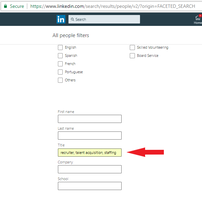
LinkedIn can be an effective way for you to make a connection with a recruiter. Use the “People Search” function on LinkedIn to find recruiters in your field or specialty.

Search the “Keywords” or “Title” field for recruiter and keywords and industries relevant for your field, like “engineering,” “manufacturing,” or “technology.” You can then narrow down the search by other criteria, like location. You can continue refining the results until you come up with a few names to contact.


Google can also help you find recruiters. Search Google (http://www.google.com) using a search such as “IT Recruiter Las Vegas” or “Engineering Recruiter San Antonio.” You can also search Google and job boards for jobs posted by recruiters. If you find postings for positions similar to the one you’re interested in, you can contact the recruiter and present yourself for other opportunities.

You can also use a résumé distribution research firm to identify targeted recruiters to contact. For example, Profile Research (http://www.profileresearch.com) can research and develop lists of recruiters that are looking for candidates with your qualifications and expertise. For a fee, they will identify the recruiters and distribute your résumé and cover letter to these individuals (either via e-mail or offline).

You can use free and paid online directories to access recruiters as well.


Custom Data Banks (https://www.customdatabanks.com/) maintains an online directory of recruiters. 

Online Recruiters Directory is another resource that you may want to explore here:
http://www.onlinerecruitersdirectory.com/.


SearchFirm
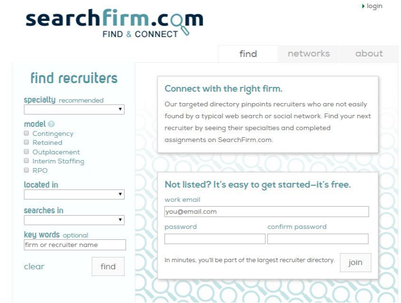
One free directory option is SearchFirm (http://www.searchfirm.com). Designed to help executive search firms connect with corporate clients, jobseekers can search the database by specialty, geography, and recruiter name.​

How to find the right recruiters
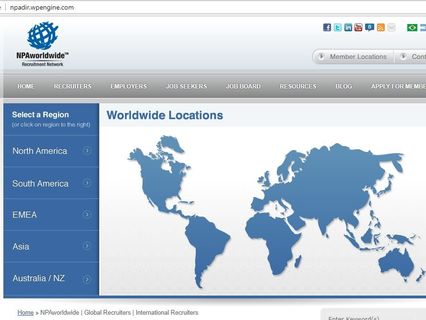
NPA (The Worldwide Recruiting Network) - Jobseekers can also search the online directory of The Worldwide Recruiting Network (http://www.npaworldwide.com/DIRECTORY/) to find member firms.
How to find the right recruiters
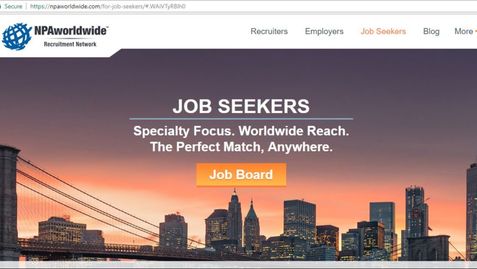
​The NPA website also has a job search to tool for jobseekers to view listings posted by recruiters within their network. Search the NPA Job Board by job title, keywords, and/or specialties (https://npaworldwide.com/for-job-seekers/ ).
How to find the right recruiters
Often the best way to find a recruiter, however, is through a referral from someone you know. Talking with co-workers in your field to see who they have worked with is a great way to find a recruiter. If there’s a specific company you want to work for, you can also make a connection with someone in their human resources department and ask if there is a specific recruiter or recruiting firm they work with often. Learning proven networking strategies will always help you be more effective.

Research your recruiter. See if he or she has been involved in any high-profile searches in your industry (these are sometimes profiled in industry publications). Google your recruiter’s name and see what job postings he or she has listed online. You are trusting your personal information and reputation to your recruiter, so trusting him or her is essential.

Saturday, December 1, 2018

What everyone needs to know about that Employment Application and the law


https://www.market-connections.net/blog/employment-application


Professional Resume Services Los Angeles, Expert Job search advice,


The law and the job application forms


You’ve spent hours writing your resume — or may have invested hundreds of dollars hiring a professional resume writer — and maybe even drafted a cover letter to accompany it. You now have all you need to apply for a job opportunity that caught your attention — or do you? At some point in the process, you’ll be required to complete a job application, which may seem redundant. After all, doesn’t the resume cover everything the employer needs to know?


Employment Application Basics
Despite all the changes in resume content and style — as well as how one looks for work and applies for jobs — one constant remains: The employment application is an essential part of the hiring process. From the employer’s perspective, the application serves a number of purposes that are not addressed in a resume (and optional cover letter). These may vary, depending on the nature of the job and the preferences of the company; however, the following always applies:

   An application is a legal document. Unlike a resume, you are required to sign an application, confirming that all the information you included is accurate and that you have not omitted anything.

    An application becomes part of your permanent file once you are hired. Both state and federal employment laws require employers to retain employment applications for at least one year.

    At a minimum, an application requires you to provide information sufficient to demonstrate that you are legally permitted to be employed. Furthermore, an application enables an employer to request information you would not typically include on your resume, such as contact information for immediate supervisors, reasons for leaving, or professional references.

    The employment application is not a standardized form, so every company may create its own as long as it adheres to regulations set by the government.

That last point is quite complex, sparking debates about what are — and are not — lawful questions, and leaving jobseekers confused and anxious.

Current Regulations
In earlier decades, almost any question was acceptable. It was not unusual to ask the applicant’s date of birth, marital status, or citizenship. Things that were once okay are now prohibited by numerous federal laws that turned the tables in the applicant’s favor. Under these laws, employment applications/employers cannot inquire about the following:

    Race, religion, gender, and national origin: Title VII of the Civil Rights Act of 1964 prohibits direct — as well as indirect — questions that allude to race, gender, and ethnicity. Inquiries into color of eyes/hair; whether the applicant is married, single, divorced, or separated; number and ages of dependent children; requiring a prefix (Mr., Mrs., Ms., or Mrs.); or questions about the observance of religious holidays are all unlawful. The anti-discrimination provision of the Immigration Reform and Control Act prohibits employers from discriminating against an applicant because he or she is not a U.S. citizen. The Form I-9, rather than an employment application, is the appropriate forum to determine an applicant’s citizenship status.

    Age: The Age Discrimination in Employment Act of 1967 protects employees 40 years of age and above. It is permissible to ask an applicant if he or she is under 18 and, if so, to state his or her age (to ensure the applicant meets minimum age requirements of the job and/or to ensure the employer does not accidentally violate state law regarding the employment of minors regarding hours worked or certain work responsibilities). However, it is unlawful to request a date of birth or include the specific question, “How old are you?” Unfortunately, one can roughly calculate an applicant’s age by asking when he or she graduated from high school.

   Disabilities and medical conditions: The Americans With Disabilities Act (ADA) of 1990 prohibits any inquiries about past or current health problems and medical conditions, disabilities, or on-the-job injuries. Even asking for the applicant’s height and weight is considered unlawful, as it may discriminate against certain demographic groups.

As you can see, it’s been more than 25 years since any significant regulations were put in place to protect job applicants from discrimination. Other employment application practices that are still in place include inquiries about an applicant’s criminal history, credit standing, and salary history, all of which can negatively impact a jobseeker. Fortunately, there are grassroots initiatives taking hold, and new regulations being adopted at the federal, state, and municipal level all across the country.

Applicant Credit Checks
The Fair Credit Reporting Act (FRCA) is a federal law that governs how a credit reporting agency handles your credit information. It is designed to protect the integrity and privacy of your credit information. The FRCA permits employers to request credit reports on job applicants. A 2010 study from the Society of Human Resource Management (SHRM) estimated that 60 percent of companies checked some (or all) job applicants’ credit reports.

Federal law permits employers to use credit history as a basis for denying employment and even rejecting any applicant who refuses a credit check. When applying for jobs, it is important to know your legal rights regarding credit checks.

Employers using credit reports to screen job applicants must do the following:

     Obtain your written permission to request a credit report. The FCRA requires the notice to be “clear and conspicuous” and not mixed with other language. Read each application carefully and pay attention to what you are signing.

     Notify you before they take “adverse action” (in this case, failing to hire) based in whole or in part on any information in the credit report.

     Give you a copy of the credit report and a written summary of your rights.

     Provide you with an opportunity to dispute the information contained in the report (typically three to five business days) before making a final decision.

Potential employers see a modified version of your credit report. Information that might violate equal employment regulations — such as birth year and marital status — is omitted, as is your credit score and account numbers.

As of February 2013, eight states (California, Connecticut, Hawaii, Illinois, Maryland, Oregon, Vermont, and Washington) have passed legislation to restrict the use of credit checks in employment, and dozens of additional cities and states have introduced bills to do so.

At the same time, however, these laws include numerous exemptions that allow certain employers to continue conducting credit checks — even when there is no evidence that credit history is relevant to job performance. Check your state’s labor department or your city government to find if you are covered by any applicable laws.

The Equal Employment for All Act, introduced to Congress in 2013, would amend the FCRA to prohibit employers from considering credit reports in the hiring process, except for jobs that require a security clearance, are in the public sector, or are related to financial services. As of November 2018, that bill continues to languish in the House Financial Services Committee.

In the meantime, there are things you can do to protect yourself:

     Check your credit report before you begin applying for jobs. You are entitled to one free copy of your credit report every 12 months from each of the three nationwide credit reporting companies. Order online from annualcreditreport.com, the only authorized website for free credit reports, or call 1-877-322-8228. You will need to provide your name, address, social security number, and date of birth to verify your identity.

     Flag negative-yet-accurate information by contacting the credit bureau and asking to attach a 100-word explanation to your report of the extenuating circumstances that led to the negative situation.

     Give your permission, when requested, to access your credit report. Unless you live in one of the states mentioned (California, Connecticut, Hawaii, Illinois, Maryland, Oregon, Vermont, and Washington) and are in an exempt category, you have a greater shot of being shown the door if you refuse the employer access.

     Don’t panic. Even if your credit report contains some negative information, you’re not necessarily out of the running. Only 10 percent of employers reported on a SHRM survey that a clean credit history was the most important variable in deciding whether to hire someone, and 80 percent of companies still hired candidates with damaging information on their credit reports.


Criminal History
As of 2014, nearly 90 percent of U.S. employers asked job applicants to reveal information on an employment application about their criminal histories — have they ever been arrested and/or been convicted of a crime — but the tides are turning.

As the national movement to improve fairness in hiring grows, currently 36 states, the District of Columbia, and 150+ cities and counties have adopted “ban the box” laws, which mandate the removal of criminal history questions from employment applications. These laws help the estimated 33 percent of adults with a criminal past get a fair shot at finding work by delaying inquiries about arrests and convictions until after the employer considers the applicant’s qualifications and determines whether he or she is suited for the job.

Currently, there is no federal “ban the box” law, with a bill to pass the Fair Chance to Compete for Jobs Act of 2017 stalled in Congress. Because of this, there is a lot of disparity and confusion about what laws/policies exist and where they apply. In some locations, these laws apply only to public government positions; elsewhere, they apply to both private and public employers.

To further compound the issues, there is little consistency in stipulations for when background checks can be used in the applicant screening process, even in places where fair-chance laws are in place. For employers with a presence in multiple states, each location is responsible for complying with local laws, even if these conflict with the company’s existing hiring practices.

Salary History
Capitalizing on the “ban the box” movement, some state and local governments are adopting laws and regulations that prohibit employers from requesting salary history information from job applicants, as well as preventing asking the minimum salary an applicant is willing to accept. This growing trend is part of a push to fight wage discrimination and eliminate or reduce the gender pay gap.

Four states (Delaware, Louisiana, New Jersey, and Oregon) as well as Puerto Rico led the way by enacting statewide bans for public employers in 2017, with California, Illinois, Kentucky, Massachusetts, Michigan, Missouri, Vermont, and Washington passing laws in 2018. Laws are set to go into effect in Connecticut and Hawaii in 2019. More than 20 states have proposed legislation prohibiting salary-related questions.

In February 2017, Philadelphia became the first city in the country to ban private-sector employers from asking job applicants about their salary history. Under this law, employers can be penalized if they ask salary questions on applications and during interviews. In October 2017, New York City joined Philadelphia in banning public and private employers from asking an applicant’s pay history. Similar laws went into effect in San Francisco in July 2018.

What’s Next?
As privacy concerns grow and anti-discrimination issues continue to rise, employers and jobseekers are challenged to keep pace with changes in what information is lawful and unlawful to request during the application and screening process.

Currently, employers are permitted to ask applicants in all states for their social security numbers; however, New York, Connecticut, and Massachusetts require employers to put safeguards — like encryption — into place for online applications to protect the privacy of jobseekers.

Employers are encouraged to ask themselves what information is essential to screening and qualifying the best candidates. And jobseekers are challenged to ask themselves how much personal information they are willing to share to get the job. The answers are continually changing.


Thursday, September 27, 2018

WHY GET LINKEDIN?


LinkedIn is the top social networking website for jobseekers. As Jeff Weiner, CEO of LinkedIn, explains it, “Post a full profile and get connected to the people you trust. Because if you’re connected to those people and you posted a profile, then when other people are searching for people, they might find you.”

LinkedIn has more than 400 million registered users as of 2017. The site adds two new members every second, and more than 200 million people visit the site each month. With so many members, the rate at which your network expands on LinkedIn can be truly amazing. A hundred strategic contacts could mean access to millions of people in a short amount of time. You’d have to attend dozens — or hundreds — of in-person networking events to equal the reach you can get on LinkedIn.

LinkedIn allows you to leverage the power of your network — the people you know, and the people those people know — to help you connect to the person (or people) who are in a position to offer you a job.

Reid Hoffman, co-founder of LinkedIn, put it this way: LinkedIn is about “connecting talent with opportunity on a massive scale.”

Executives from all Fortune 500 companies are on LinkedIn. Recruiters from every discipline and industry are on LinkedIn. More than four million companies have profile pages on LinkedIn.

But author Guy Kawasaki puts it best: “I could make the case that Facebook is for show, and LinkedIn is for dough.”

LINKEDIN IS CRUCIAL TO JOB SEARCH

Once upon a time, attending networking mixers, industry events, and Chamber of Commerce meetings were the best way to make new connections and build business relationships. Now, these activities have moved online within the LinkedIn community. Much like networking in person, professionals interact on LinkedIn with the explicit intention of making business connections.

With LinkedIn, you get all the benefits of networking in person, with less of the hassle. Instead of going from business lunch to business lunch hoping to meet people, LinkedIn provides a platform for you to specifically search and research individuals who you know will directly add value to your job search.

Employers and recruiters use LinkedIn to locate both active jobseekers and those who aren’t necessarily looking (passive candidates). They also use LinkedIn to vet job candidates before making an interview invitation or extending a job offer. LinkedIn also allows candidates to create an online portfolio of their accomplishments — the latest update to LinkedIn’s profile format (rolled out in June 2014), has a strong visual emphasis, facilitating embedded video, links to content posted elsewhere on the Internet, and the ability to create highly shareable, long-form content in the form of LinkedIn’s “Publishing” feature.

LinkedIn allows you to identify, research, contact, follow-up, engage, and maintain your contacts in one place. Its ability to facilitate business networking is unmatched by any other social network. Essentially, your LinkedIn profile is a résumé, business card, and elevator speech all rolled up into one.

However, your LinkedIn profile is not your résumé. LinkedIn is a personal branding page. You need both a résumé and a LinkedIn profile, and they should be in sync with one another, but not be exact copies. The information on your résumé should match your profile (in terms of positions you’ve held, your educational credentials, etc.), but the content you include on your LinkedIn profile will be different than what is included on your résumé. 

How to Thrive After a Layoff - A Guide for Executives

  How to Thrive After a Layoff - A Guide for Executives by https://www.market-connections.net A Strategic Guide for Professionals Navigating...